
Two years on, the local-inference question this piece sidestepped is mostly resolved — Flux and SDXL run comfortably on consumer hardware, and the Replicate dependency the add-on leaned on is no longer load-bearing. The integration pattern still holds: bind a generation model into a render workflow as a transparent post-processing node, not a separate app. What I would add now is a typed-reference pass before the upscaler — see typed-reference-composition — so the AI step inherits the render's identity instead of free-form re-imagining it.
Introduction
As the CG industry slowly decelerates, and companies, studios, and 3D creators stand against new pipelines and artificial intelligence, while actively advocating for ‘Industry Standards’ – I truly believe we could accelerate the field with new approaches, that not only save time, but make processes easy and give us more creative power to uncover hidden gems of being ‘creative’.
Today’s research is about Neural Render built on top of Replicate and Blender 3D - open-source 3D software that opens a lot of doors for us.
What is Neural Render?
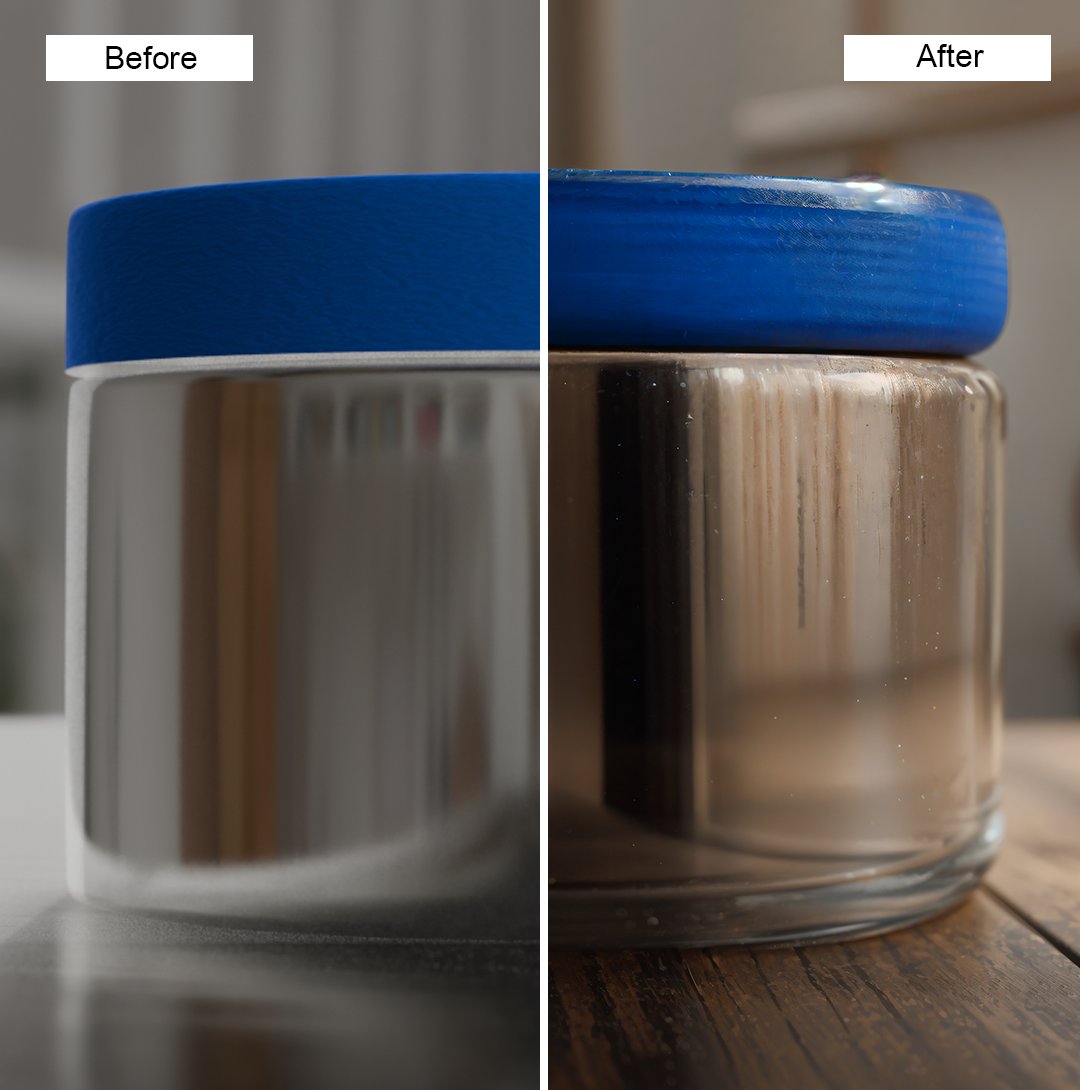
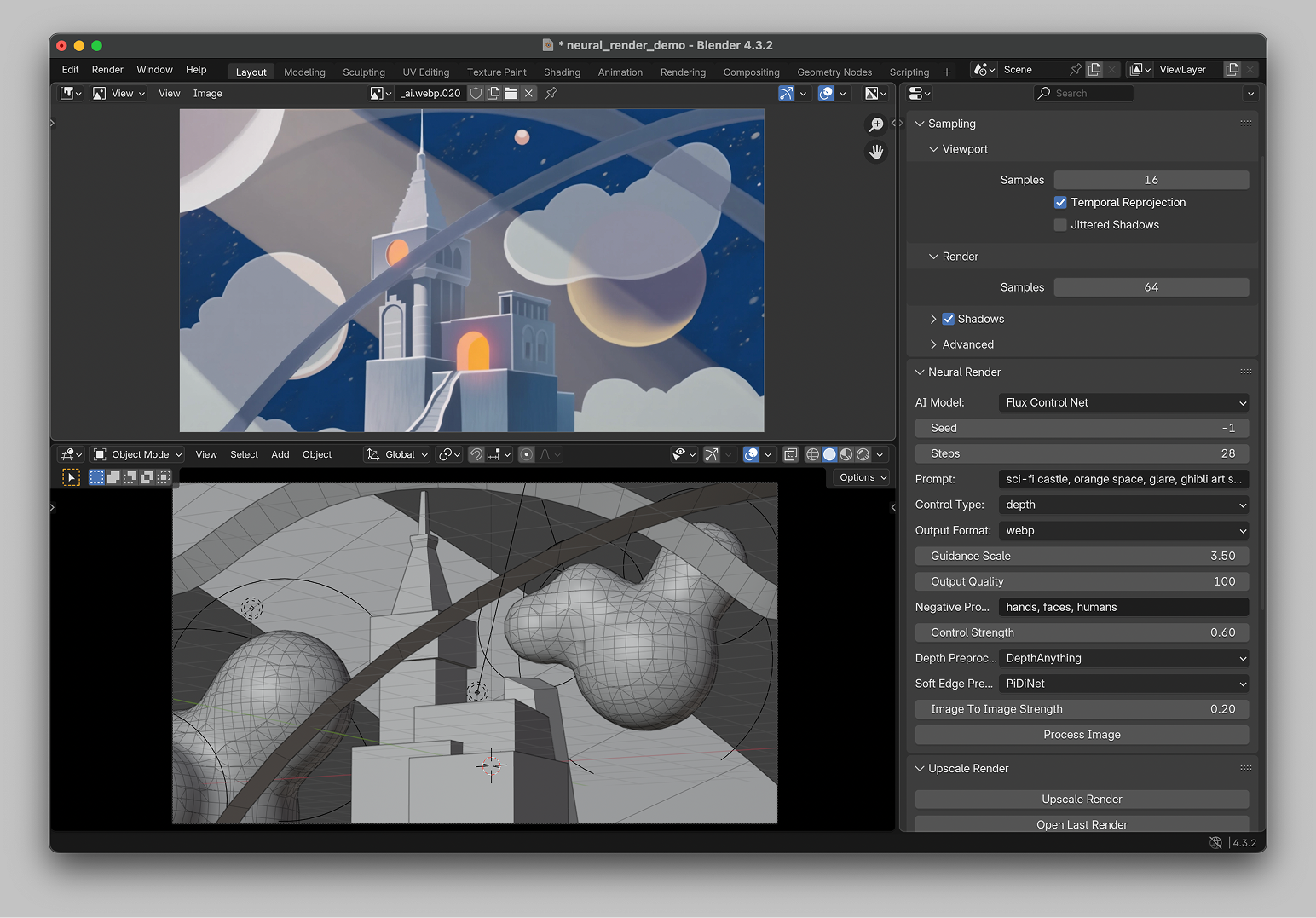
Neural Render is a Blender add-on that integrates AI models from Replicate into your Blender workflow. It allows you to process rendered images with AI, enhancing their quality and resolution or generating new images based on your renders directly within Blender.
Why Replicate?
While we can use local models for inference, making the project truly open-source, the first version was built on top of Replicate – cloud computing provider, to ensure we can run any models in the cloud with great speed and quality. I plan to publish updates on this workflow when we’ll be closer to on-device image inference.
Current Features:
- Upscale and enhance rendered images using Clarity Upscaler
- Generate new images based on your renders using Control Net
- Customizable parameters for AI processing
- Seamless integration with Blender's render pipeline
- Support for various Stable Diffusion models and control types
- Options for tiling, downscaling, and custom LoRA models
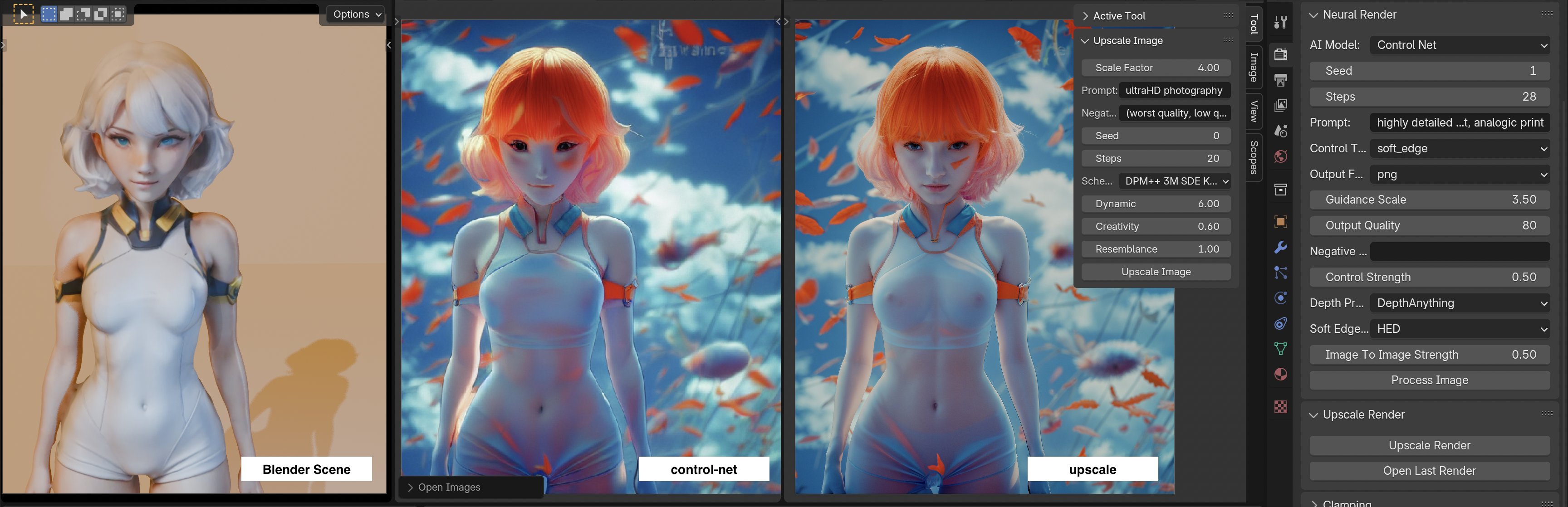
Render Will Never Be The Same
While traditional render still is very important and nothing can be compared to its flexibility, there are already many applications AI render could be better, or even replace the traditional approach. I will show you some of the recently discovered.
Pre-Visualization
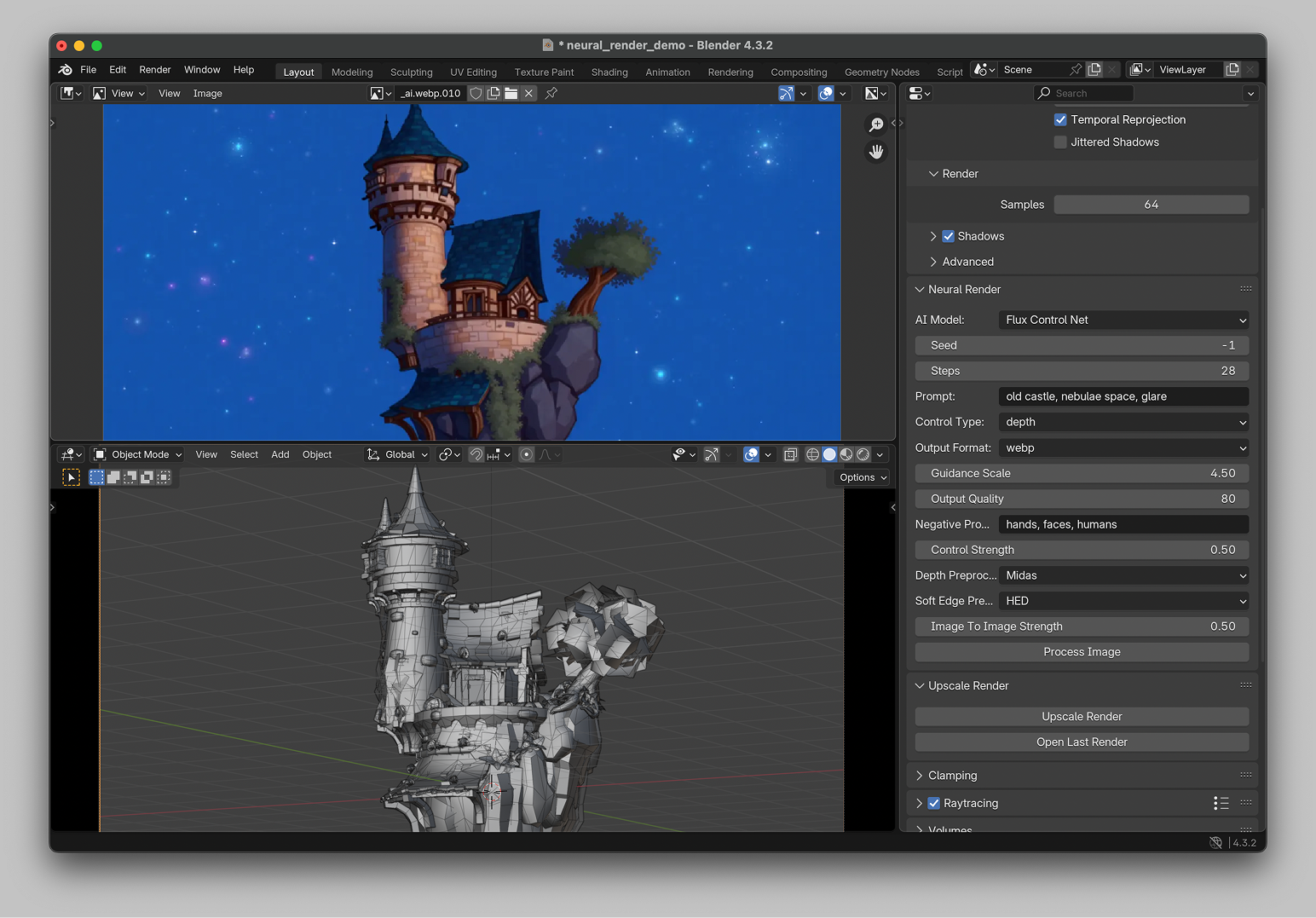
With no need to spend hours in light and textures research, we can quickly visualize any scene with the needed textures, light, environment, and anything we can imagine to get the final look we wanted to see. Here is an example based on this scene from Skethfab.
Proof Of Concept
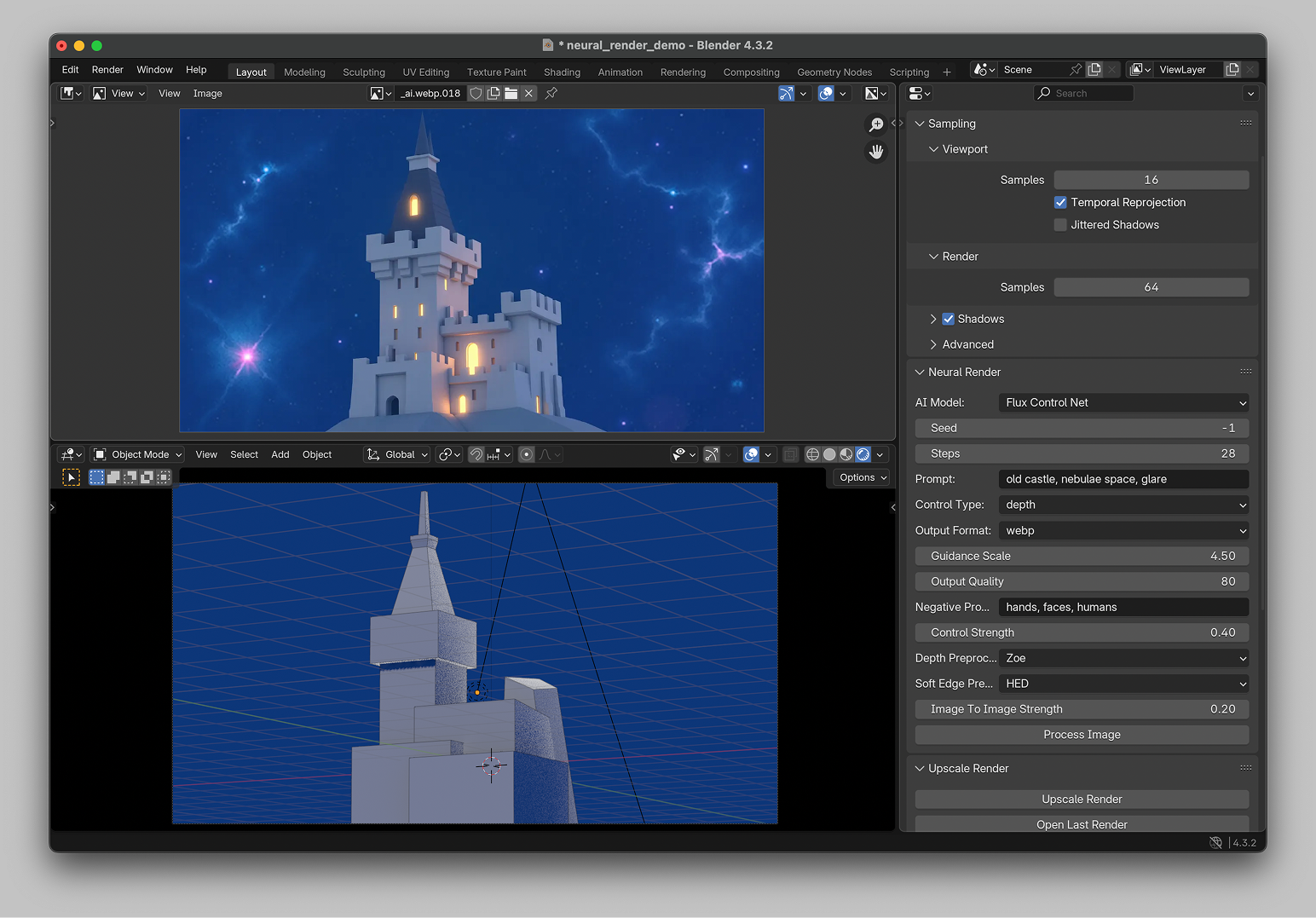
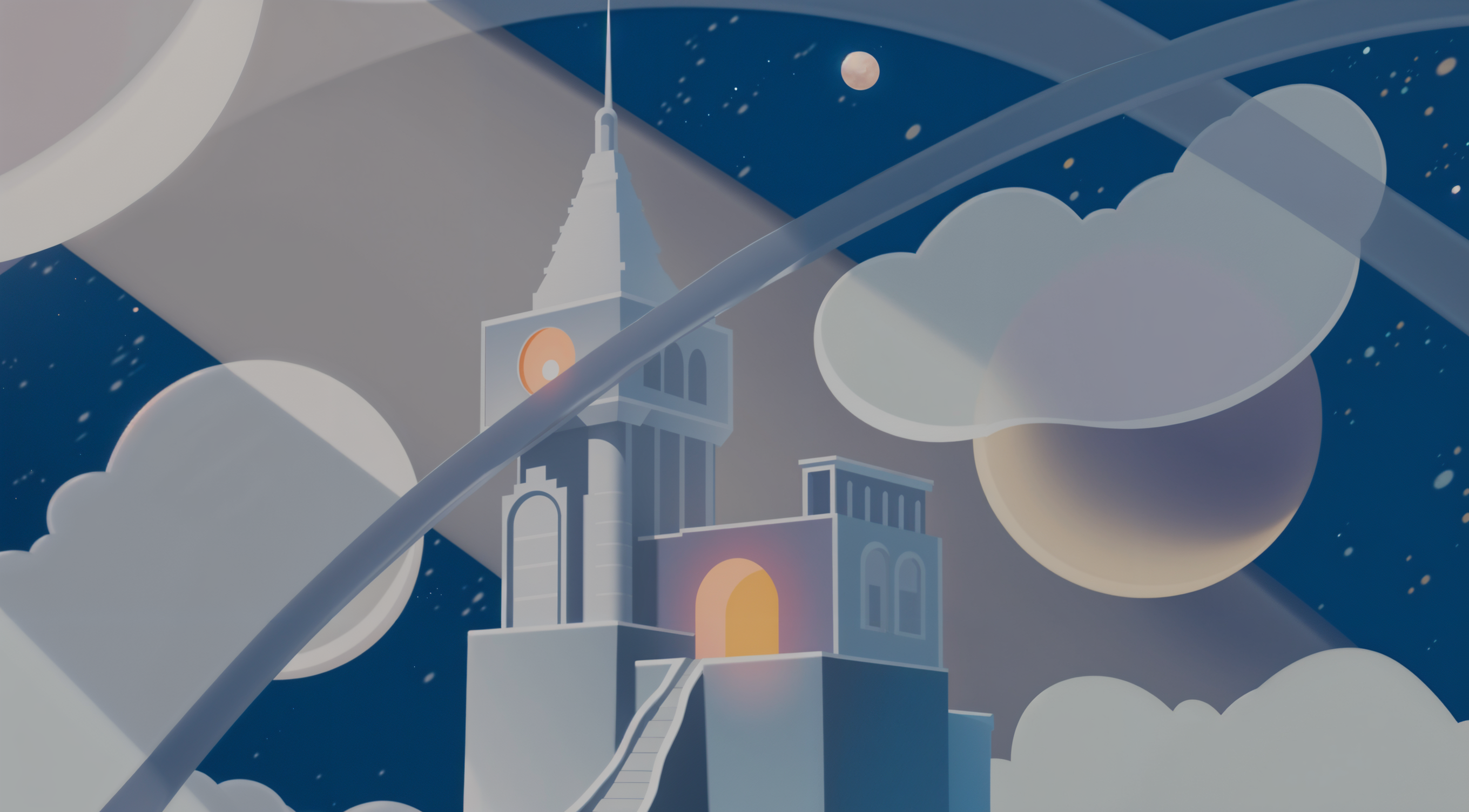
When it’s too lazy to model a whole scene, make a layout, or create detailed models, we can visualize a whole picture by rendering simple blocking with a single prompt, while experimenting with its variations by toggling parameters.
AI Render As Art
For art creators, it could be the best way to create something truly magical, by turning 3D scenes into dozens of creative variations, reimagining them, or totally distracting the reality with AI capabilities within Blender scenes.
In the final word, there are endless possibilities with AI applications in 3D and creative production, and I wish everyone to try it out and share what you’ve built with this add-on.
You can find the detailed instructions on how to install and use the add-on below, along with the code and necessary requirements. Be open to contributing and adding any information or examples directly into the GitHub repo.
© Alex Nikulin. Quote with attribution and a link · LLM version