Neural Render — AI in 3D Pipeline
Neural Render — AI in 3D Pipeline
Post-Processing Neural Networks as Transparent Render Passes
Author: Alex Nix Status: Published research Repository: github.com/n1x-ax/Neural-Render
Abstract
The gap between a raw 3D render and a finished creative asset is wider than it appears. Texture iteration, lighting refinement, and visual exploration consume the majority of production time — not the render itself. This case study describes Neural Render, a Blender add-on that integrates AI models (upscalers, ControlNet, Stable Diffusion with LoRA) as transparent post-processing nodes directly inside the 3D render pipeline. The key architectural decision: treat AI as a render pass, not a separate application. Three primary use cases — pre-visualization, proof of concept, and creative exploration — demonstrate how embedding inference into the DCC tool eliminates the context-switching penalty and accelerates the iteration loop. The project evolved from cloud-based inference via Replicate API to local inference with Flux and SDXL, removing network latency from the creative workflow.
1. Problem
The iteration gap
A typical 3D production workflow involves:
- Block out the scene geometry
- Iterate on textures and materials
- Refine lighting setup
- Render
- Evaluate
- Repeat from step 2
Steps 2 and 3 — texture and lighting — consume the majority of iteration time. Each change requires a full render cycle to evaluate. The 3D artist's creative intent ("I want this scene to feel like a neon-lit Tokyo alley") is mediated through hours of parameter tweaking: material roughness values, HDRI rotation, color grading nodes.
Meanwhile, generative AI models excel at exactly this kind of visual transformation — they understand "neon-lit Tokyo alley" as a direct prompt. But using them requires exporting renders, switching to a separate AI tool, running inference, importing results back, and evaluating. The context switch kills the iteration speed.
The fundamental insight
AI models in creative workflows are most valuable when they're invisible — when the artist doesn't have to think about "using AI" as a separate step. The value isn't in the model itself; it's in reducing the distance between creative intent and visual feedback.
2. Solution
Neural Render: AI as a render pass
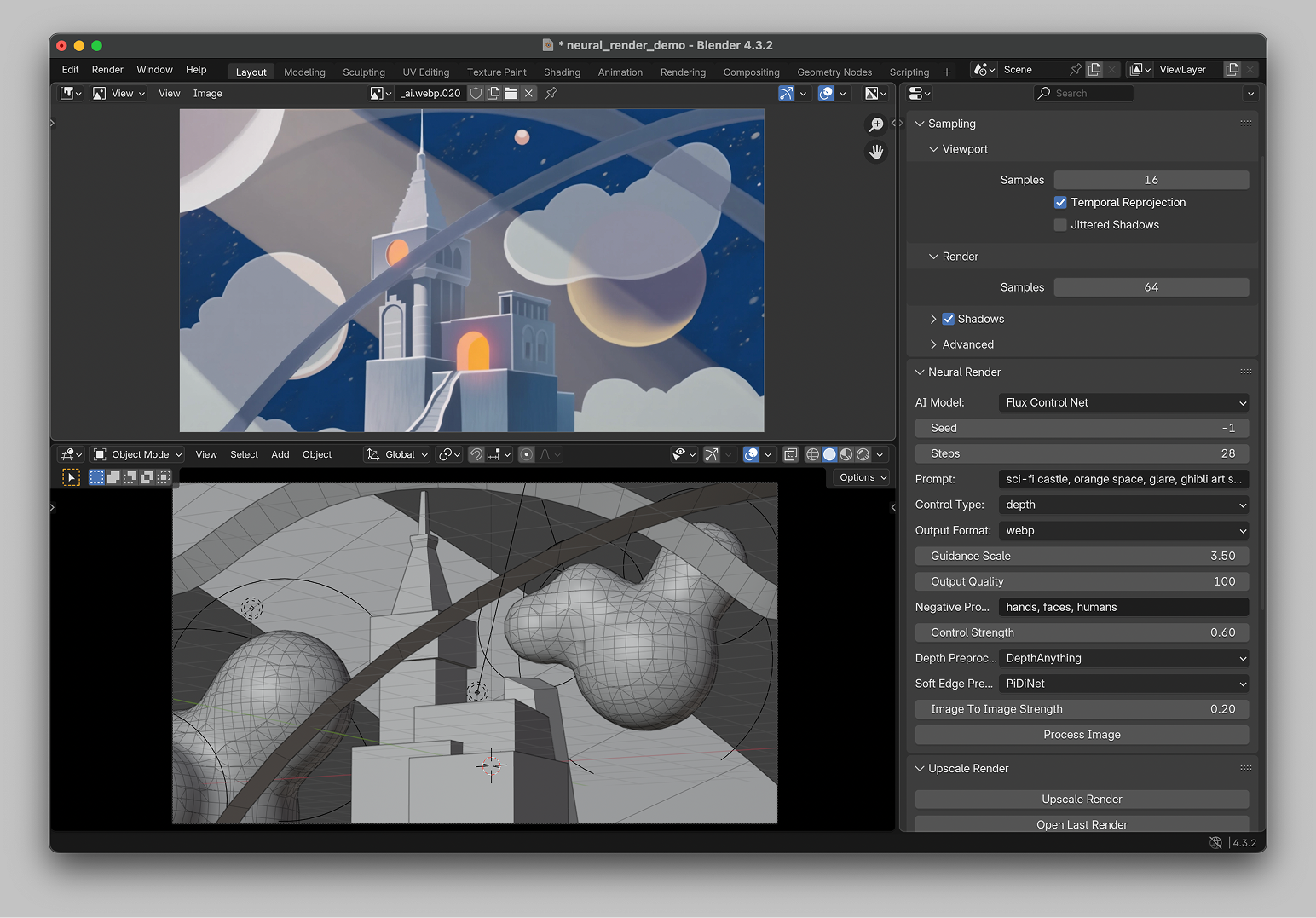
Neural Render is a Blender add-on that places AI inference directly inside the render pipeline. After Blender produces a render — any render, at any resolution — the add-on routes the output through a configurable AI post-processing chain and returns the result to Blender's render window. The artist sees the AI-processed result as naturally as they see a denoised render or a composited pass.
Key architectural decisions:
-
Transparent integration. The add-on hooks into Blender's render pipeline at the post-processing stage. No export, no external application, no manual file management. The AI step is just another render pass.
-
Cloud inference via Replicate API. Initial versions used Replicate for model hosting — the artist's render is uploaded, processed by the selected model, and the result is downloaded back into Blender. This eliminates the need for local GPU infrastructure while keeping latency within acceptable bounds for interactive iteration.
-
Model-agnostic pipeline. The add-on supports multiple model types: upscalers (Real-ESRGAN), style transfer models (ControlNet + Stable Diffusion), and custom LoRA-augmented pipelines. The artist selects the processing chain from within Blender's UI.
-
ControlNet for structure preservation. ControlNet edge detection runs on the input render, extracting structural information (geometry edges, depth contours). This structure conditions the generation, ensuring the AI output respects the 3D scene's composition rather than freely interpreting from text alone.
3. Use cases
3.1 Pre-visualization
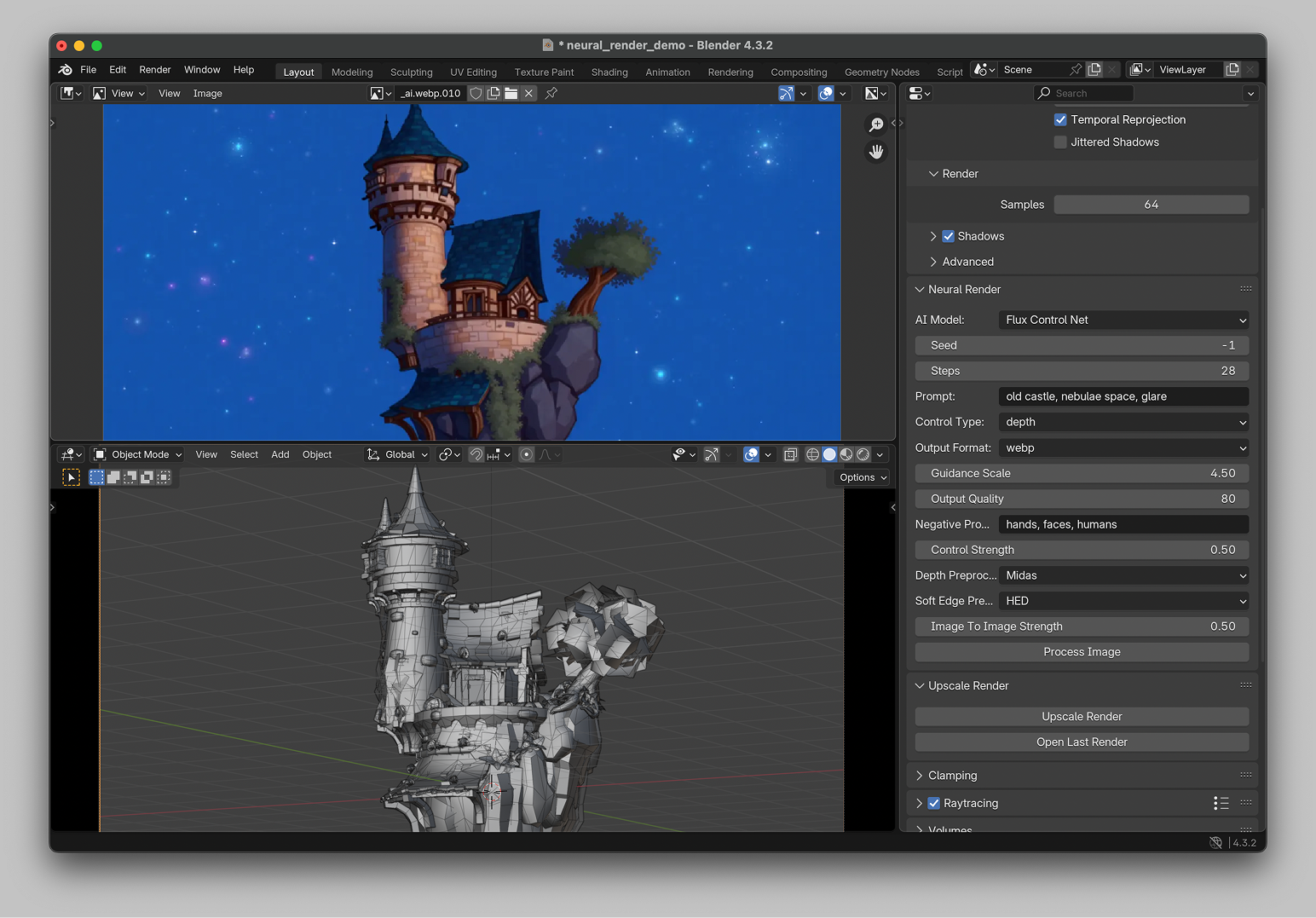
Before committing to detailed textures and lighting, the artist blocks out basic geometry — primitive shapes, rough camera angle, placeholder materials. Neural Render processes this blockout through a style-conditioned AI model, producing a fully realized scene visualization.
What this changes: Instead of imagining how a blockout "will look" after hours of texturing, the artist sees a plausible final result immediately. Decisions about visual direction are made at the blockout stage — when changes are cheap — rather than after detailed texturing — when changes are expensive.
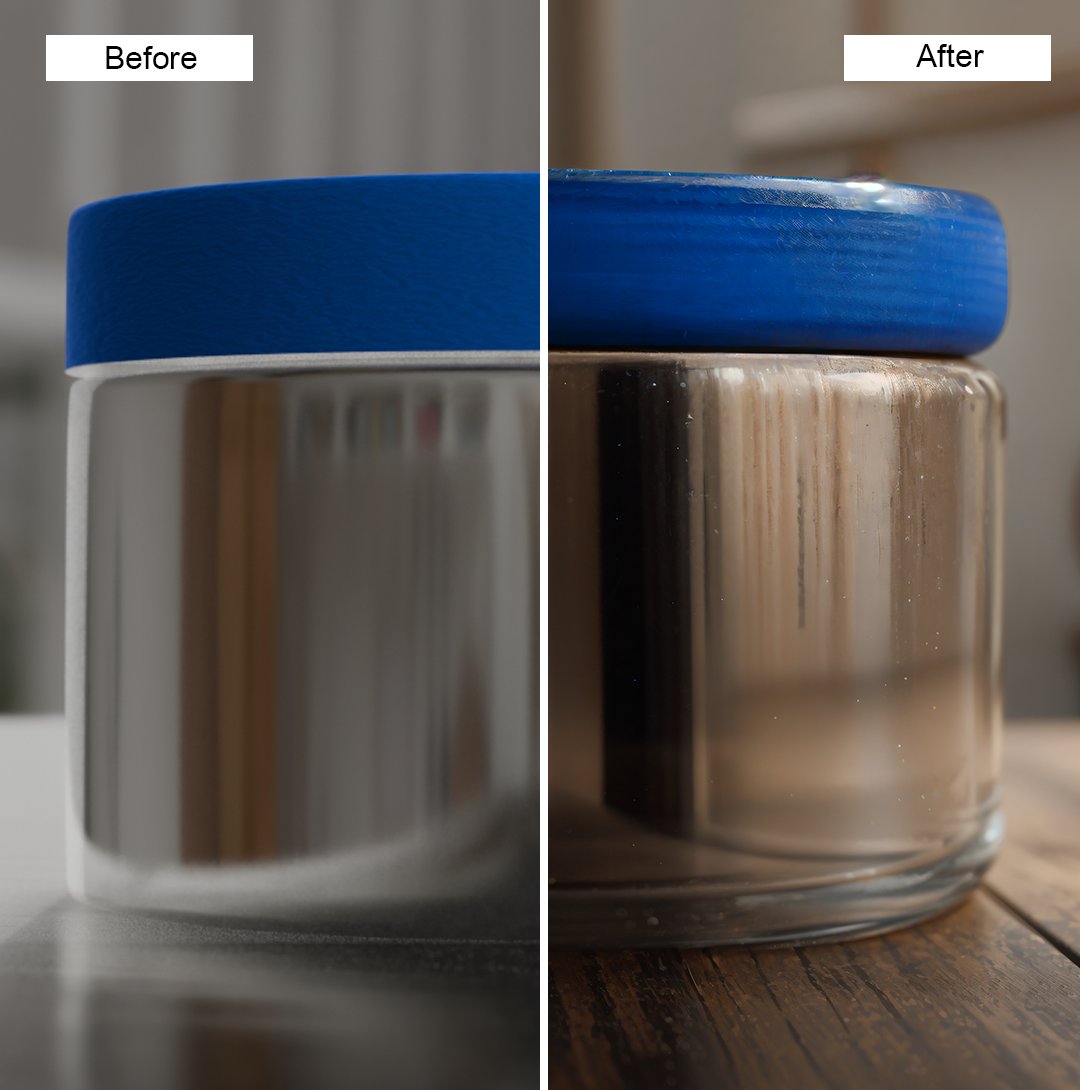
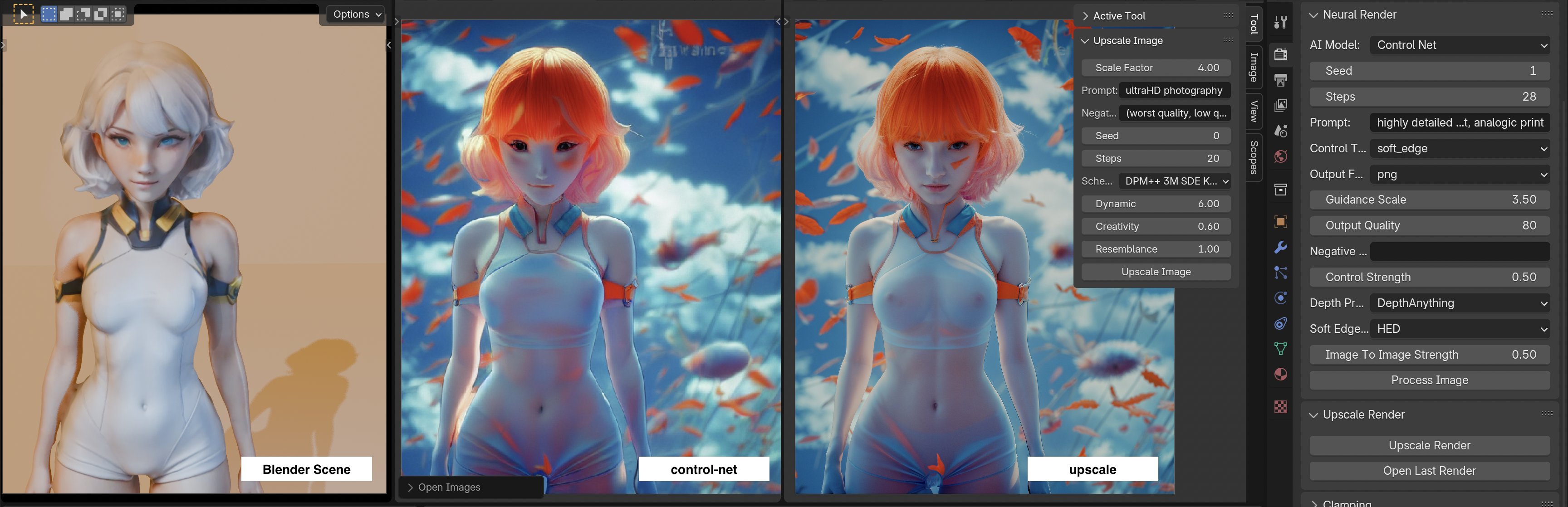
3.2 Proof of concept
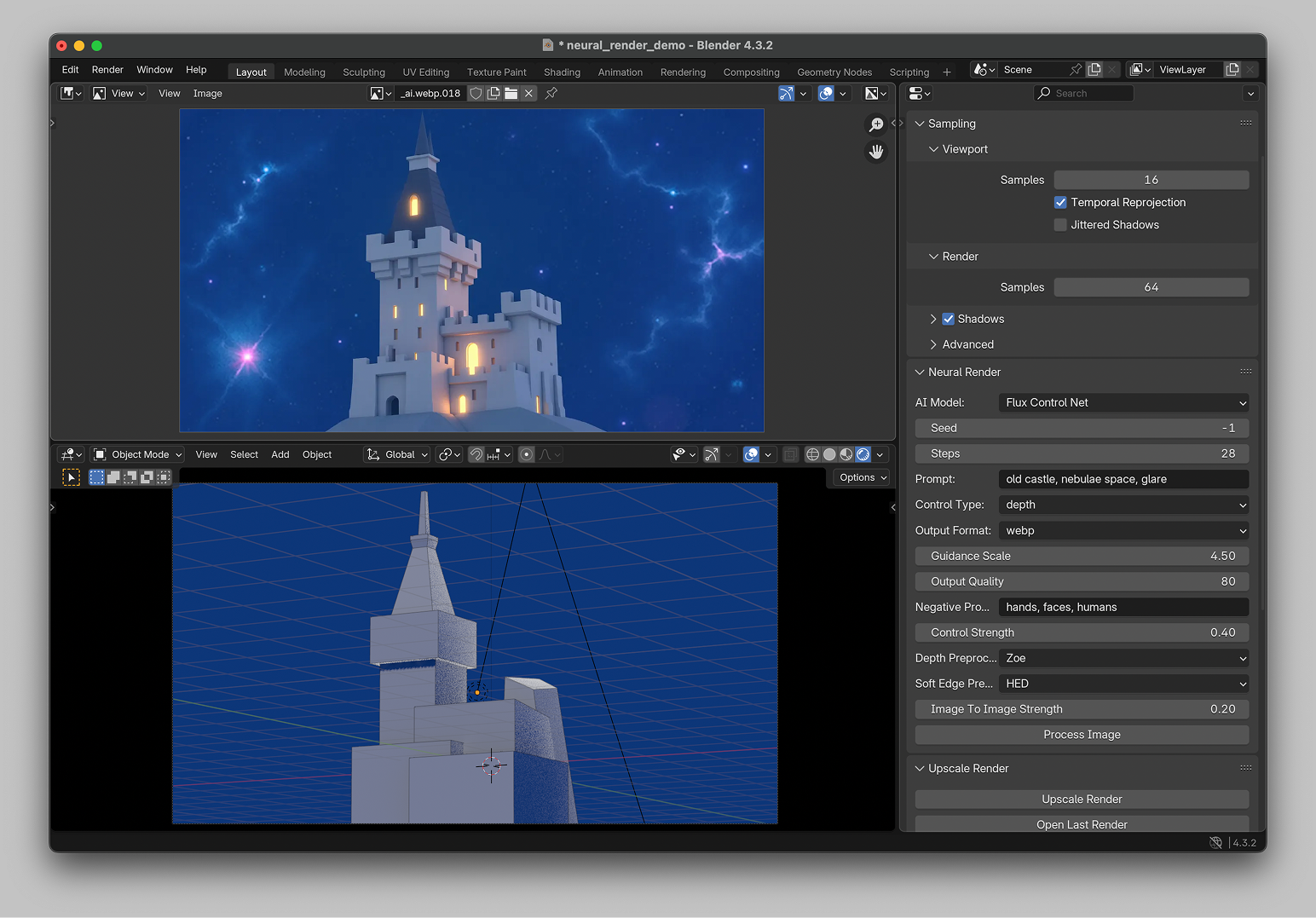
A client needs to see a concept before production begins. The artist creates rough 3D models of the key subjects — no textures, no lighting setup, no environment — and uses Neural Render to generate a complete scene around them. ControlNet preserves the subject geometry; Stable Diffusion fills in environment, lighting, atmosphere, and materials.
What this changes: Client-facing proof-of-concept imagery that previously required a full asset pipeline can be produced from rough geometry in minutes. The client evaluates the concept, not the execution quality. Iteration happens at the concept level before production resources are committed.
3.3 Creative exploration

A finished 3D render becomes the starting point for creative variation. Different style prompts, different LoRA adapters, different ControlNet configurations — all applied to the same base render — produce a range of artistic outputs from a single 3D asset. The artist explores visual directions without re-rendering or re-texturing.
What this changes: Visual exploration is decoupled from 3D production. Once the base geometry and composition are finalized, the creative exploration happens in AI space — orders of magnitude faster than iterating in 3D.
4. Technical architecture
Pipeline flow
Blender render output
        │
        ▼
  ┌─────────────────────┐
  │  ControlNet preproc  │  ← Edge detection on render
  │  (canny / depth)     │
  └─────────┬───────────┘
            │
            ▼
  ┌─────────────────────┐
  │  AI inference layer  │  ← Style prompt + LoRA + structure condition
  │  (SD / SDXL / Flux)  │
  └─────────┬───────────┘
            │
            ▼
  ┌─────────────────────┐
  │  Optional upscaler   │  ← Real-ESRGAN or similar
  └─────────┬───────────┘
            │
            ▼
  Blender render window (AI-processed result)
Component details
-
Blender integration layer: Python add-on hooking into Blender's render callback system. After each render completes, the output is automatically routed to the processing pipeline.
-
ControlNet preprocessing: Canny edge detection and depth map extraction run locally on the render output. These provide structural conditioning for the generation model.
-
LoRA support: Artists can train and load custom LoRA adapters for specific styles — a product's visual language, a brand's aesthetic, a particular artistic treatment. LoRAs are loaded dynamically per-render, allowing style switching between renders.
-
Replicate API (initial architecture): Model inference runs on Replicate's GPU infrastructure. The render is uploaded, processed, and returned. This removed the need for local GPU but introduced network latency (~5-15 seconds per render depending on model complexity).
-
Local inference (evolution): As local GPU capabilities improved, inference moved to local Flux and SDXL models. Network latency dropped to zero; the iteration loop became truly real-time.
5. Evolution and broader impact
Neural Render's architecture — treating AI as a transparent processing layer rather than a separate tool — influenced subsequent work in several ways:
Local inference removed the cloud dependency. The initial Replicate-based architecture worked but introduced a latency penalty that broke the creative flow for rapid iteration. Moving to local inference with Flux and SDXL eliminated this penalty entirely. The lesson: for creative tools, latency isn't a performance metric — it's a UX constraint. Anything above ~2 seconds breaks the feedback loop.
Typed Reference Composition emerged from multi-condition generation. The ControlNet + LoRA + text prompt conditioning architecture in Neural Render was one of the earliest implementations of what became Typed Reference Composition — the principle that different types of visual information (structure, style, subject) should be carried by dedicated conditioning channels.
The pipeline pattern persisted. Neural Render's core insight — AI as a transparent processing stage inside an existing tool, not a separate application — became a recurring architectural pattern. The same thinking appears in the virtual try-on pipeline (AI as a transparent processing stage inside ComfyUI) and in production video pipelines (AI as a stage inside a larger constraint-propagation pipeline).
Identified next steps
- Real-time viewport integration: Processing AI inference directly in Blender's viewport during modeling, not just as a post-render step.
- Multi-pass composition: Combining multiple AI-processed render passes (different styles for different scene elements) with selective masking.
- Animation sequence processing: Extending single-frame AI processing to animation sequences with temporal consistency.
References
- ControlNet: Zhang, Lv, et al. "Adding Conditional Control to Text-to-Image Diffusion Models." ICCV 2023.
- Real-ESRGAN: Wang, Xie, et al. "Real-ESRGAN: Training Real-World Blind Super-Resolution with Pure Synthetic Data." ICCVW 2021.
- Blender: Open-source 3D creation suite. blender.org
- Replicate: Cloud platform for running machine learning models. replicate.com